Right now, your competitors are closing deals that should have been yours. Why? Because while you’re stuck manually searching LinkedIn profiles one by one, they’re using smart automation to find and verify hundreds of decision-makers in minutes.
This isn’t just about efficiency; it’s about losing the race. 78% of high-growth companies are already using advanced scraping strategies to find leads in their crucial 30-day buying window.
If you’re relying on old, dirty lists, you’re not just missing out on sales; you’re actively hurting your domain’s credibility every time a message bounces. Don’t let bad data sideline your business.
This article reveals the exact blueprint high-performing sales teams use to eliminate guesswork, achieve 95% data accuracy, and scale their outreach before the competition even wakes up.
Phase 1: Identifying Your Target (The Foundation)
Before you find a single email address, you have to answer a crucial question: Who is the perfect person to receive this message?
Sending 1,000 emails to random people is just spam, and it yields zero results. The most successful sales teams realize that volume means nothing without relevance. The foundation of a successful campaign is built on precision targeting.
✅Define Your Ideal Customer Profile (ICP)
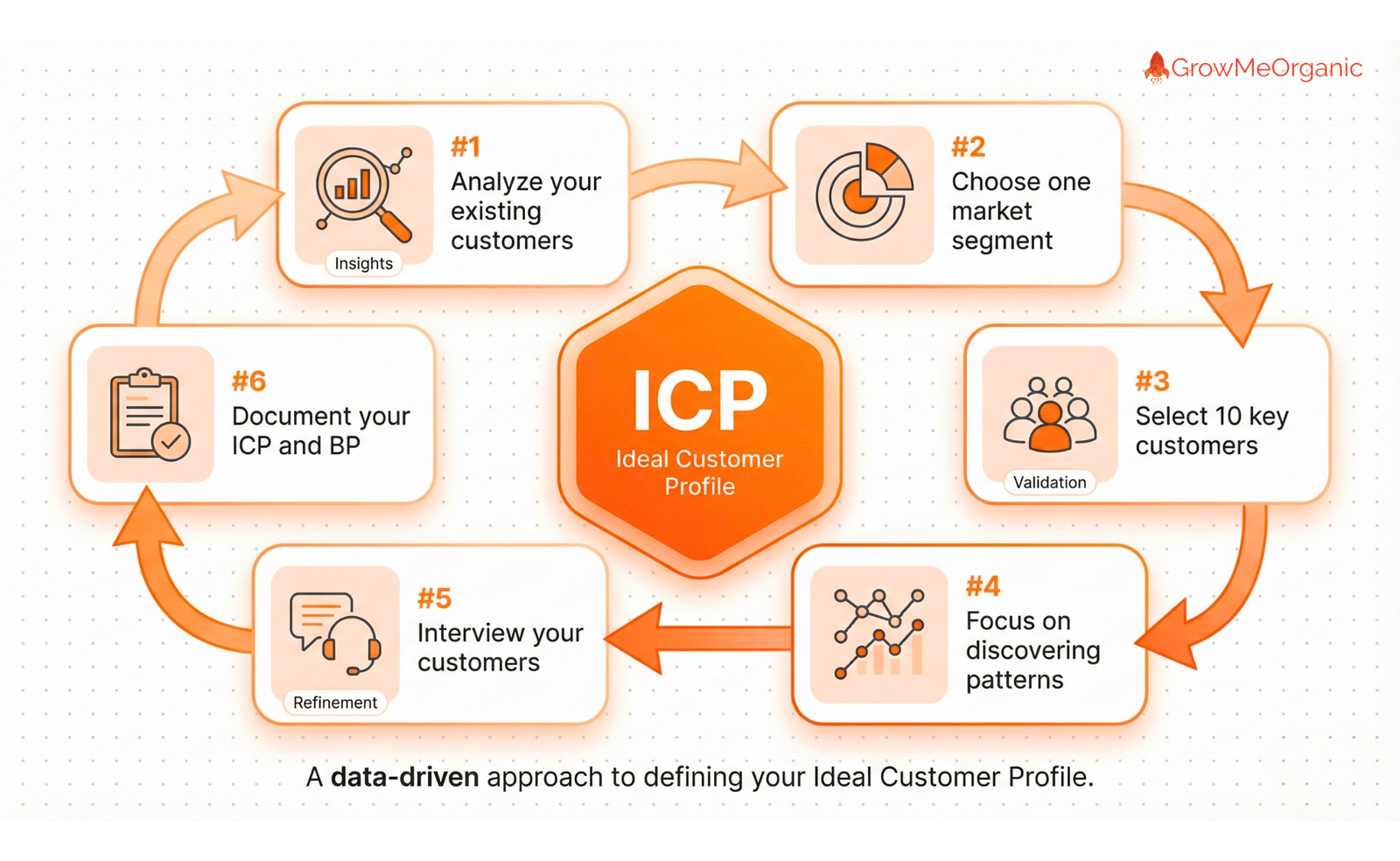
The Ideal Customer Profile (ICP) describes the type of company or customer that will get the most value from your product. A high-quality email is accurate and connects you directly to a decision-maker who is relevant to your offer.
🎯The Three Layers of Relevance
Don’t just target “small businesses.” Get specific. You need to narrow down your prospect list using three essential layers:
📌Industry: Group contacts based on the sector they operate in (e.g., FinTech, SaaS, Healthcare).
📌Company Size: Filter based on annual revenue or employee count. A product that solves problems for large enterprises will require different contacts than a solution for startups.
📌Geography: Segment by region or country, especially if your product or service is limited to a specific market.
🎯Identifying True Decision-Makers vs. Gatekeepers
A crucial mistake is emailing the wrong person. While generic addresses like info@ or sales@ are easy to find, they are less effective because they often go to a gatekeeper or an unmonitored inbox.
You need the direct contact for the person who controls the budget and has the authority to solve the problem your product addresses: the CEO, the Head of Engineering, or the VP of Marketing. Targeting these roles is the first step toward high-quality outreach.
Example
Imagine your company sells an advanced Project Management SaaS tool designed specifically for remote teams.
Applying The Three Layers of Relevance:
| Layer | Poor Target (Too Broad) | Ideal Target (Highly Segmented) | Why It Works |
| Industry | Any Technology Company | Digital Marketing Agencies or Software Consultancies | The tool needs to solve a specific industry problem (e.g., managing multiple client deadlines simultaneously). |
| Company Size | Any Company with over 50 Employees | Companies with 50–250 employees and a dedicated “Operations” or “Client Services” team. | They are big enough to afford the paid tool but small enough that the VP will personally approve the expense. |
| Geography | USA | USA and Canada (English-Speaking) | Limiting it to relevant regions ensures localized content and service can be provided. |
Identifying True Decision-Makers vs. Gatekeepers:
Once your ICP is defined as a 50–250 employee Digital Marketing Agency in the US, you need the right person.
The Gatekeeper (Low Quality): A “Project Coordinator” or an “Office Manager.” They will use the tool, but they can’t approve the $5,000$ annual budget. Contacting them results in wasted time.
The Decision-Maker (High Quality): The VP of Operations or the Director of Client Services. This person directly feels the pain of inefficient project flow and has the budget authority. Your high-quality email must target them directly.
By following this example, your list instantly becomes smaller but infinitely more valuable, moving your strategy from mass outreach to precision.
✅Segmentation is Non-Negotiable
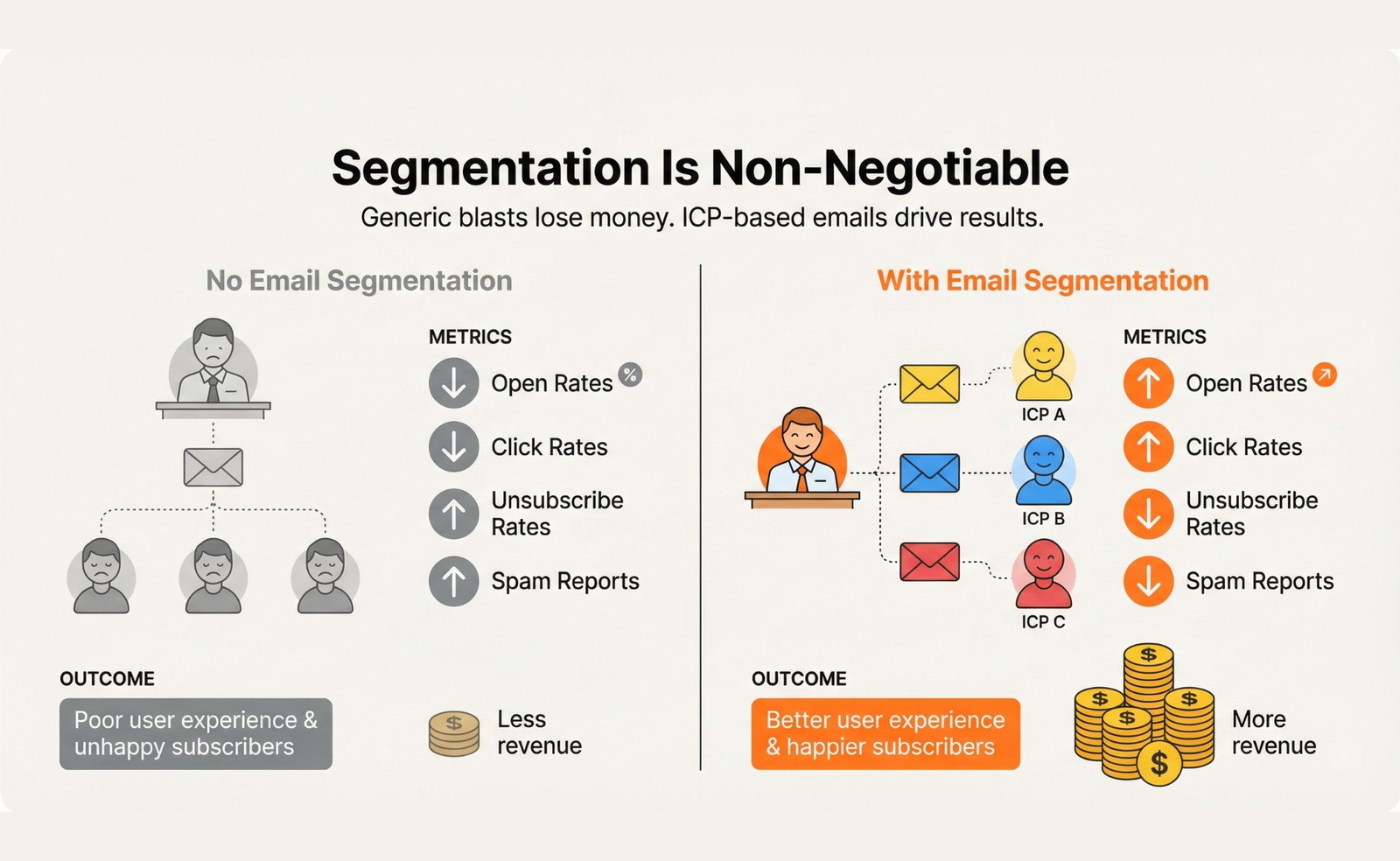
A generic list results in a generic message; a highly segmented list allows for personalization that actually converts. By organizing your contacts beyond their job title, you craft a message that speaks directly to a group’s unique needs, which boosts response rates by 32%
Segmentation is where you take your Ideal Customer Profile (ICP) and break it down into smaller, actionable groups based on context and intent.

✅Grouping by Pain Point and Technology Stack
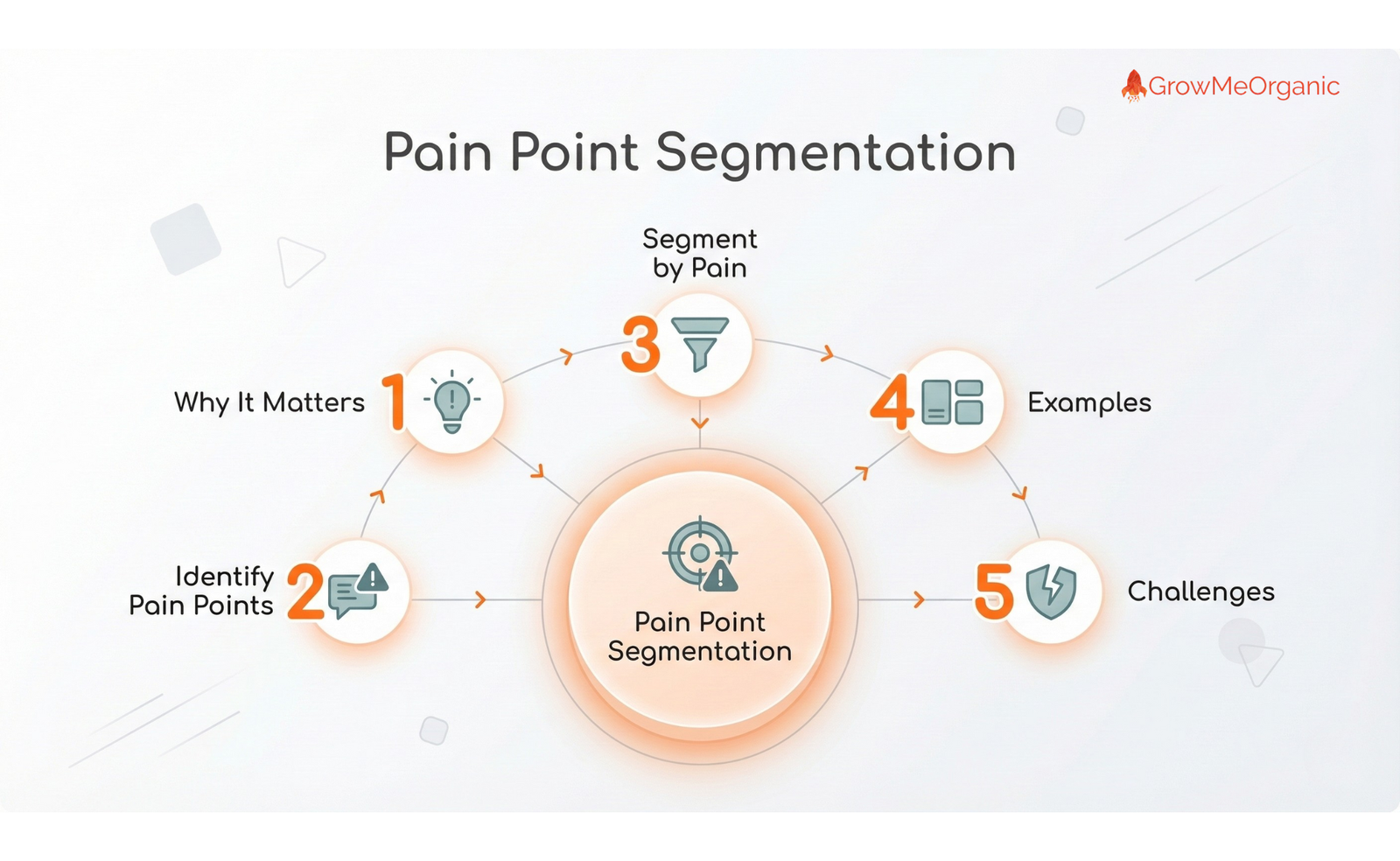
Instead of grouping by who they are, you group by what problem they have and what tools they use
📌Pain Point(The Why): This involves finding prospects who are actively looking for a solution to a problem your product solves. To do this, you search for external signals: prospects who have recently published content, posted job openings (seeking someone to fix a specific workflow issue), or discussed a problem on a public forum.
These signals indicate a current, urgent pain point. Your segments should be named after the pain point itself, making the message you send automatically relevant.
📌Technology Stack Segmentation (The ‘How’): This involves identifying the specific software or platforms a company currently uses. You can use specialized tools to see what technology is running on their website or what integrations they frequently talk about.
This is powerful because your pitch can focus entirely on how your solution improves or replaces an existing tool, reducing the perceived risk and difficulty of making a change.
Example:
To see segmentation in action, let’s use the example of a company selling an advanced Project Management SaaS tool designed for remote agencies:
| Segmentation Strategy | Segment Name | Segment Definition (The List) | Your Targeted Message |
| Pain Point | “Spreadsheet Migrators” | VPs of Operations at agencies (50–250 employees) who recently posted a job for a “Workflow Efficiency Specialist.” | Focus: The pain of manual errors and wasted hours in spreadsheets. |
| Technology Stack | “Slack-Heavy Users” | VPs of Client Services at agencies that use Slack extensively but have no dedicated PM tool in their stack. | Focus: The ease of integration and how your tool cleans up the communication mess they are currently experiencing. |
✅Organizing Your Contacts (The CRM Gold Standard)
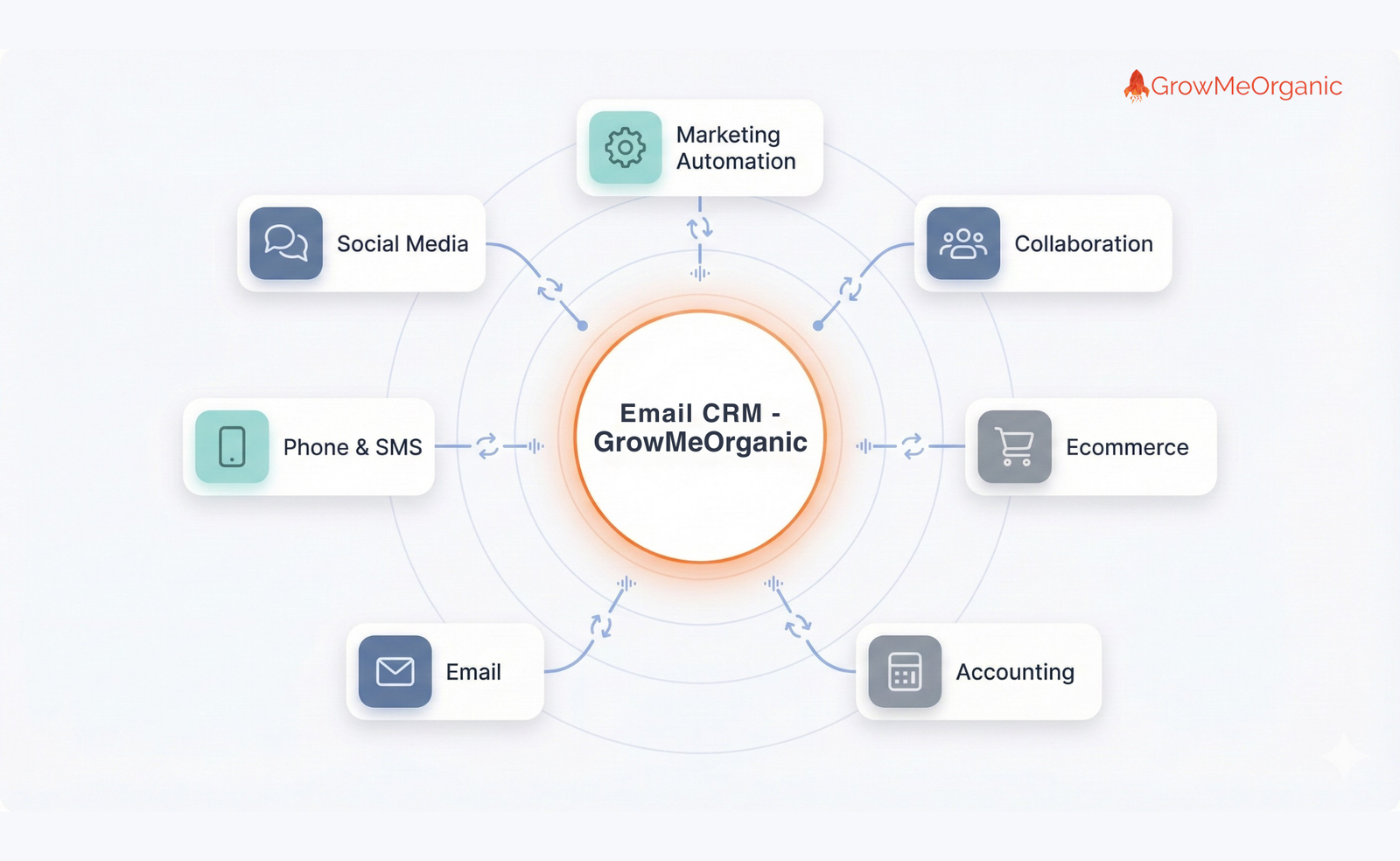
You need a central place to manage these segmented lists. Customer Relationship Management (CRM) tools like Salesforce or HubSpot are essential for an organization.
53% of sales teams integrate their CRM with email finding tools. A CRM tracks every interaction automatically and prevents you from contacting the same person twice, ensuring your high-quality list remains organized and actionable.
Example:
The goal of the CRM is to ensure that the segmentation work you did in Phase 1 is never forgotten.
Imagine you have just finished verifying 200 contacts and are importing them into your CRM (like HubSpot or Salesforce). Instead of just listing them as “VP of Operations,” you apply custom tags and properties:
- Custom Property: Lead Source
- Value: LinkedIn_Extractor or Website_Scrape.
- Why it matters: This helps you track which finding methods are giving you the best response rates.
- Custom Property: Segment
- Value: Spreadsheet_Migrators or Slack_Heavy_Users.
- Why it matters: This tag automatically triggers the correct, highly personalized email sequence for that specific group, ensuring your message is always relevant.
- Custom Property: Compliance Flag
- Value: B2B_Consent_Implied or GDPR_Opt_Out.
- Why it matters: If the prospect is in the EU, you track that your outreach meets the “legitimate interest” criteria. If they unsubscribe, the flag is set to GDPR_Opt_Out, and your CRM guarantees you will never email them again, protecting your company from legal risk.
By using the CRM to tag and track these pieces of information, you effectively build automated workflows that manage your list, ensuring the high-quality data you found in the earlier phases is used correctly and compliantly at scale.
Phase 2: The Two Pillars of Email Discovery (Finding the Contacts)
You’ve defined who you want to reach with your ICP. Now, it’s time to generate the contact list itself. In today’s B2B landscape, successful list building relies on two core, high-efficiency strategies: automation and professional networking.
✅The Automated Engine (Tools for Scale)
The days of manually searching for emails are over. It’s too slow and prone to error. 60% of companies now use automated tools like Growmeorganic to find and verify emails because they offer unparalleled speed and scale. These tools eliminate the need for guessing, immediately increasing the accuracy of your list.
🎯Paid vs. Free Tools: Understanding the Accuracy Gap
When building your list, choosing the right tool determines your success. While free tools offer a valuable entry point, understanding their limitations is critical before launching a campaign that could harm your domain reputation.
Here is a breakdown of the core services provided by each tier:
| Feature | Free Tools (Entry Level) | Paid Tools (Professional Scale) | Why It Matters for Your Campaign |
| Search/Find Volume | Very limited (e.g., 50–100 lookups per month). | High volume (e.g., 1,000 to unlimited lookups per month). | Limits your ability to build large, segmented lists for scaling your outreach. |
| Email Verification | Basic, often unverified results. May rely heavily on predictive algorithms. | Integrated, Real-Time Verification. Performs server checks. | The difference between 70% accuracy (risky) and 95% accuracy (safe). |
| Bulk Processing | Usually unavailable; requires manual, one-by-one verification and finding. | Standard Feature. Allows you to upload and clean thousands of addresses instantly. | Essential for efficiency and mandatory for any high-volume B2B campaign. |
| Data Types Returned | Simple email format (e.g., jane@). | Rich data (e.g., email, company role, social media links, company size). | This rich data is the foundation for the deep personalization required. |
📌How Prediction Algorithms Work
How do these sophisticated tools find an email address without asking the recipient? They use algorithms based on public data analysis and a strategy called permutation, the same technique used by 41% of sales professionals who guess probable formats.
👉Pattern Recognition: The tool analyzes thousands of existing public emails from the target company’s domain (e.g., company.com).
👉Format Prediction: It determines the most common internal structure (e.g., is it always firstname. lastname, f.lastname, or firstinitiallast?).
👉Real-Time Verification: It generates the most probable address (e.g., jane.doe@company.com) and then performs a server check. This check pings the company’s server to confirm the address is live and active, which is the secret to achieving high accuracy.
✅The LinkedIn Strategy (Accuracy & Context)
LinkedIn is the world’s largest, most accurate database of professional contacts, and 67% of sales professionals use the platform to find prospects. The key to successful outreach is using LinkedIn not just to see who your prospect is, but to gather the vital context and confirmation needed to make your email relevant, something a pure scraper cannot do.
🎯Using LinkedIn for Advanced Filtering
LinkedIn provides the contextual accuracy needed for surgical targeting. Tools like Sales Navigator are essential because they unlock advanced filtering options that match your ICP perfectly. You can vet leads based on exact job function, tenure at the company, recent activity, and technology used.
By manually vetting a prospect’s profile for interests and current projects, you gather the context that makes your eventual email unique and impossible to ignore. This is where you identify the right people before you find their email.
🎯Extracting Contact Info and Connecting with Tools
Once you’ve identified decision-makers on LinkedIn, you need a way to move that information into your prospecting system. LinkedIn is a closed environment, meaning it doesn’t usually display direct email addresses.
This is where you use the “LinkedIn-to-Email bridge” to move from the profile you’ve vetted to the verified address. But how do you get their confirmed, verified email address without the hours of manual guessing or relying on an unverified list?
This is where the GrowthToolkit stands out, designed to seamlessly bridge the gap between LinkedIn’s contextual quality and the need for verified, scalable data.

Here is a detailed breakdown of what the GrowthToolkit is designed to do for this crucial extraction phase:
📌Integrated Verification: Most standard tools find an email and then tell you to verify it separately. GrowthToolkit integrates the entire process.
When you pull a list of leads identified through Sales Navigator, the platform uses its proprietary technology to find the email, and critically, it performs a real-time server check (verification) before the data ever hits your export file.
This ensures that the leads you receive are instantly rated as deliverable, guaranteeing the 95% accuracy required to protect your sender reputation.
📌True Bulk Enrichment: GrowthToolkit allows you to automate the extraction process directly from large LinkedIn search result pages. Instead of clicking “find email” hundreds of times, you can run a targeted search (based on your ICP) and utilize the toolkit to process and enrich that entire prospect list with verified data in a single action.
This capability is vital for scaling your efforts without sacrificing the precision targeting you established on LinkedIn.
📌Rich, Multi-Point Data Export: A simple list of names and emails isn’t enough for the personalization required.
The GrowthToolkit ensures that the final output is a complete prospecting file, including the prospect’s full name, job title, company name, domain, and, most importantly, the verified professional email address. This comprehensive data set is instantly ready for CRM import, tagged with all the necessary context for personalized email sequencing.
By leveraging a comprehensive tool like GrowthToolkit, you transform the high-quality leads identified on LinkedIn into a verified, actionable list instantly, moving you from the research stage to the launch phase with maximum efficiency and minimal risk.
📌Using Lead Magnets and Content Sign-ups: While the LinkedIn strategy focuses on outbound outreach, the most high-quality, high-intent contacts are often generated through inbound methods. Offering a valuable free resource, a lead magnet like an industry report, a template, or a webinar in exchange for an email address serves two purposes:
- High Intent: It ensures the recipient is genuinely interested in your topic or product.
- Explicit Consent: It secures the recipient’s explicit permission, making them a warm prospect and instantly compliant with privacy laws.
🎯Lead Generation Ads (LinkedIn/Facebook)
Lead generation advertising is a powerful method to gather consented emails at scale with low friction.
📌How They Work: Platforms like LinkedIn and Facebook offer specific ad formats that include a “Lead Gen Form.” When a user clicks the ad, the form automatically populates with their contact details (name, email, job title) pulled directly from their profile.
📌Low Friction, High Conversion: The user never has to leave the platform or manually type in their information. This reduced friction significantly boosts conversion rates, allowing you to quickly funnel hundreds of high-intent contacts into your system, ready for a personalized cold email follow-up.
Phase 3: Smart Manual & Tactical Methods (The Detective Work)
While automated tools and LinkedIn are essential for scale, sometimes the perfect email address for a high-value target requires a little detective work. These tactical, manual methods are used when you have a specific person in mind, but their information isn’t immediately available in a database.
✅The Guessing Game (Permutation)
41% of sales professionals use email permutator tools to guess probable email addresses. This method works because most companies use one or two predictable email formats across their entire organization.
🎯Testing Common Email Formats
If you know the person’s name (e.g., Jane Smith) and the company domain (@AcmeCorp.com), you can test the most common formats:
📌jane.smith@AcmeCorp.com (First name dot Last name)
📌jsmith@AcmeCorp.com (First initial Last name)
📌jane@AcmeCorp.com (First name only)
Once you generate a few guesses, you don’t send blindly. You use a quick, single-check verification tool to ping the server and confirm which of your guesses is live and accepting messages. This prevents you from guessing email formats or sending to an address that can hurt deliverability.
✅Website and Public Records
The company website is the most obvious, yet often overlooked, place to find direct contact information.
🎯Checking “About Us” and Author Pages
Stop looking only at the general contact@ or info@ emails. 51% of businesses report using company websites to manually harvest prospect emails, and they find success by looking at:
📌Author Pages: If the prospect writes a blog, their bio often contains their direct email, which is critical for making your outreach relevant (e.g., “I read your article on X…”).
📌Leadership Team: For smaller to mid-sized companies, the executives’ emails are sometimes listed directly on the “About Us” or “Team” pages.
🎯Using Google Search Operators (Dorks)

You can use advanced search commands, known as Google Dorks, to force the search engine to look for specific patterns or text on a website, bypassing standard search results. This is often the best way to find emails that are publicly listed but buried deep in a PDF or a press release.
Here are the four most effective Dorking strategies for email discovery:
👉Basic Site and Name Search:
Purpose: To find an email address listed anywhere on a target’s specific website.
Formula: site:companywebsite.com “Prospect Name” email
Example: site:acmeagency.com “Jane Smith” email
👉Finding Patterned Emails (Bulk Domain Search):
Purpose: To find common email addresses across a whole domain (useful for validating your permutation guesses).
Formula: site:companywebsite.com “job title” AND (email OR contact) -careers
Example: site:acmeagency.com “Director of Client Services” AND (email OR contact) -careers
The -careers operator is crucial here; it filters out job postings, where job titles and contact information often appear.
👉Targeting Specific Document Types (Filetype Dork):
Purpose: To find contact information hidden inside file formats like PDFs, spreadsheets, or presentations, which often contain uncleaned data.
Formula: filetype:pdf “Prospect Name” “phone” companyname
Example: filetype:pdf “John Doe” “phone” “Me gaCorp”
This is a powerful technique because compliance documents, old press kits, or conference speaker sheets often contain direct contact information.
👉Combining Known Formats with LinkedIn Context:
Purpose: To confirm a guessed email format (like f.lastname@) against public domain results, using the prospect’s full name as a cross-reference.
Formula: Prospect Name AND “f.lastname@companyname.com”
Example: Jane Smith AND “j.smith@acmeagency.com”
If Google returns any document, presentation, or public mention that includes both the full name and the guessed email format, you have a high degree of confidence that the address is correct.
By utilizing these advanced Dorking techniques, you significantly increase your success rate for finding those high-value emails that automated tools might miss.
✅The Inbound Approach (The High-Quality Stream)
While manual and automated methods focus on pushing outreach out, the inbound approach focuses on drawing qualified contacts in. This strategy is vital because it collects email addresses that are explicitly given to you, securing consent and guaranteeing the address is active, creating the highest quality stream of leads.
Beyond simple content sign-ups, the most successful inbound marketers use mechanisms that require a higher level of commitment from the prospect, filtering out low-intent lookers and delivering rich segmentation data.
🎯High-Commitment Inbound: Webinars and Live Events
Hosting a live event, whether virtual (a webinar) or in-person (a seminar), is an extremely effective way to collect high-quality email addresses because it serves as a strong intent filter.
- Execution Detail: Your sign-up process must be integrated directly with your CRM. On the registration form, you should ask not only for the email but also for two key qualifying data points (e.g., Job Title and Current Challenge). This allows you to tag the lead and begin segmentation before they even attend.
- The Intent Filter: A prospect who dedicates 30–60 minutes of their time to a live session is signaling a deep, often immediate need for the solution you are discussing. This is a lead that is far warmer than someone who just downloaded a PDF.
- Post-Event Segmentation: The real value comes after the event. You instantly create three segments:
- Attendees (Highest Intent): These leads are prioritized for a direct, personalized follow-up email that references a specific point discussed in the session.
- Registrants, No-Show (Medium Intent): These leads receive a softer email with the recording link and a message that acknowledges they were busy, keeping the conversation warm.
- Non-Registrants (Low Intent): These are placed back into a nurturing email sequence.
This strategy ensures that when your sales team follows up, they are only reaching out to the warmest, most engaged contacts, maximizing their time and your conversion rate.
🎯Interactive Tools: Quizzes and Assessments
An interactive piece of content like a “Readiness Score Quiz” or a “Project Management Health Check” is one of the fastest ways to gather high-intent, rich data points because the user is motivated by personalized curiosity.
- Execution Detail: The tool should consist of 5-10 quick questions that relate directly to the problems your solution solves. The final score (e.g., “Your Workflow Efficiency Score is 45/100”) is gated, requiring the prospect to provide their email address to receive the personalized breakdown and recommendations.
- Self-Qualification and Data Harvest: By having the prospect answer questions like “How many manual steps are in your current approval process?” they effectively qualify themselves and tell you their exact pain point. This collected data allows you to segment leads based on their result.
- Segmentation by Score: You can immediately create high-intent segments based on their score:
- “High-Risk” Scorer: A prospect who scores poorly has an urgent problem. They are automatically flagged for immediate sales outreach with a message tailored exactly to their low score.
- “Moderate-Risk” Scorer: These leads need more information. They are placed into an automated sequence that sends case studies related to the specific areas they scored poorly in.
These interactive tools automate the qualification process, dramatically reducing the time spent by your sales team on low-value leads and delivering a stream of self-segmented, high-intent contacts.
Phase 4: The Firewall: Mandatory Verification
Verification is not optional; it is the ultimate firewall protecting your domain’s reputation and the key to improving deliverability. You must assume all scraped or guessed data is flawed until proven otherwise.
✅Why Verification Saves Your Business
For a successful cold email campaign, your list must be 95% accurate or higher. Why such a high standard? It all comes down to the bounce rate.
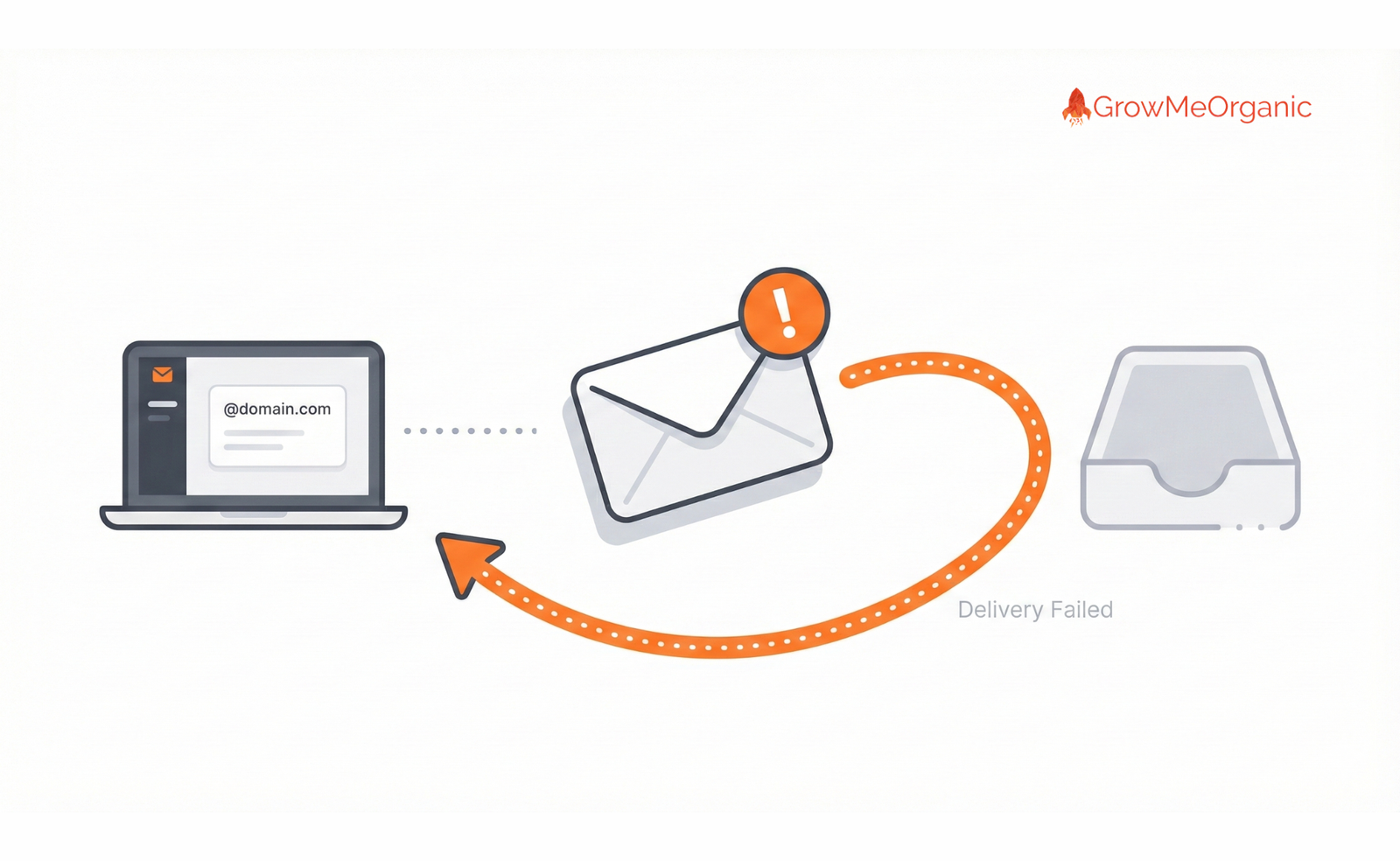
A hard bounce happens when an email is sent to a nonexistent, inactive, or invalid address. When internet service providers (ISPs) like Google or Microsoft see a high percentage of hard bounces coming from your domain, they flag you as a sender of bulk, low-quality lists; in other words, a spammer.
🎯The High Cost of Bad Data
Unverified lists inject massive risk into your business. High bounce rates signal a poor sender reputation, meaning all your emails, even the perfectly crafted ones, will start going straight to the spam folder.
🎯The Danger of Spam Traps and Unverified Lists
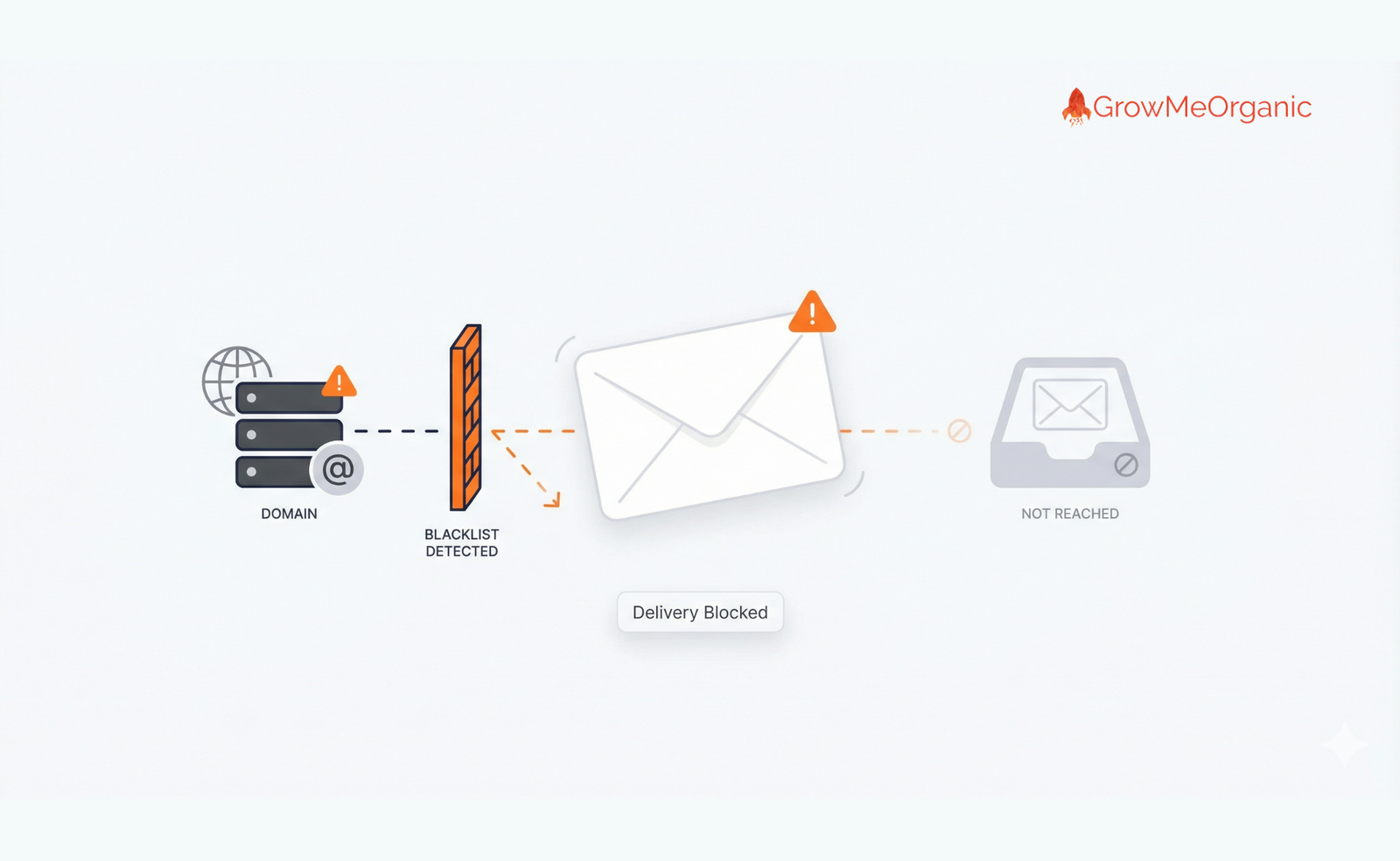
Unverified lists may contain old, inactive addresses that have been converted into spam traps by ISPs. Hitting a spam trap, which looks like a legitimate email but is used solely to catch malicious senders, instantly damages your reputation and can lead to your domain being blacklisted. You must use verification services to clean your lists before sending and protect your domain health.
✅Types of Verification Tools
Verifying emails ensures that the gathered addresses are still active and accepting messages. 77% of marketers use lead enrichment tools to verify email addresses before sending cold outreach. You can choose between single-check tools for low-volume prospecting or bulk services for cleaning large lists.
🎯Single Check vs. Bulk Verification Services
👉Single Check: Quick tools (often built into finder tools) used to verify individual emails when you are using manual guessing or LinkedIn extraction for one high-value prospect.
👉Bulk Verification: Essential for cleaning large CSV files you’ve acquired. Services like ZeroBounce process the list, removing the invalid, disposable, or high-risk addresses.
🎯Detecting Catch-All, Disposable, and Role-Based Emails
The best verification services don’t just check if the email exists; they provide valuable context:
👉Catch-All Domains: These servers are set up to accept any email address sent to their domain (e.g., random@company.com), even if the address doesn’t exist. This makes verification difficult, requiring you to send these emails with extreme caution.
👉Disposable Emails: Temporary addresses used to sign up for free trials or content. They expire quickly and should be removed.
👉Role-Based Emails: These are generic addresses like info@ or support@. Verification tools flag them, allowing you to prioritize sending only to direct contacts.
✅ Crucial Rule: Avoid Personal and Generic Emails
While possible, these addresses are significantly less effective.
👉Avoid Generic Addresses: Role-based addresses (like info@ or sales@) often go to gatekeepers or shared inboxes and rarely reach the final decision-maker.
👉Avoid Personal Addresses: You must always use business email addresses for cold outreach. Not only is it a breach of GDPR to send unsolicited emails to personal addresses (like Gmail or Yahoo), but most free email providers have much stricter spam filters, drastically reducing your deliverability.
Examples of Email Verification Software
While many platforms offer verification, they specialize in different aspects of the process (e.g., bulk cleaning versus integrated finding). Here are four common types of tools you will encounter:
✅GrowMeOrganic (GrowthToolkit): This tool provides a unique combination of finding and verifying. Unlike tools that require two separate steps (find, then clean), GMO integrates the verification check at the point of extraction from LinkedIn. This means the emails you pull are instantly confirmed as deliverable, offering a one-stop-shop solution that saves a critical step and guarantees high accuracy upon collection.
✅ZeroBounce: Primarily known as a bulk cleaner. You upload a large list, and it processes the file, giving you detailed results on bounce risk, spam traps, and validity.
✅NeverBounce: Another major bulk cleaning service, focusing on high-speed processing and maintaining a low-cost, high-volume environment for list hygiene.
✅Hunter.io: Best known as an email finder, its verification is typically a secondary service used to confirm the format of a guessed or predicted email, often done on a single-check basis.
Phase 5: Compliance and Ethics (Staying Safe)
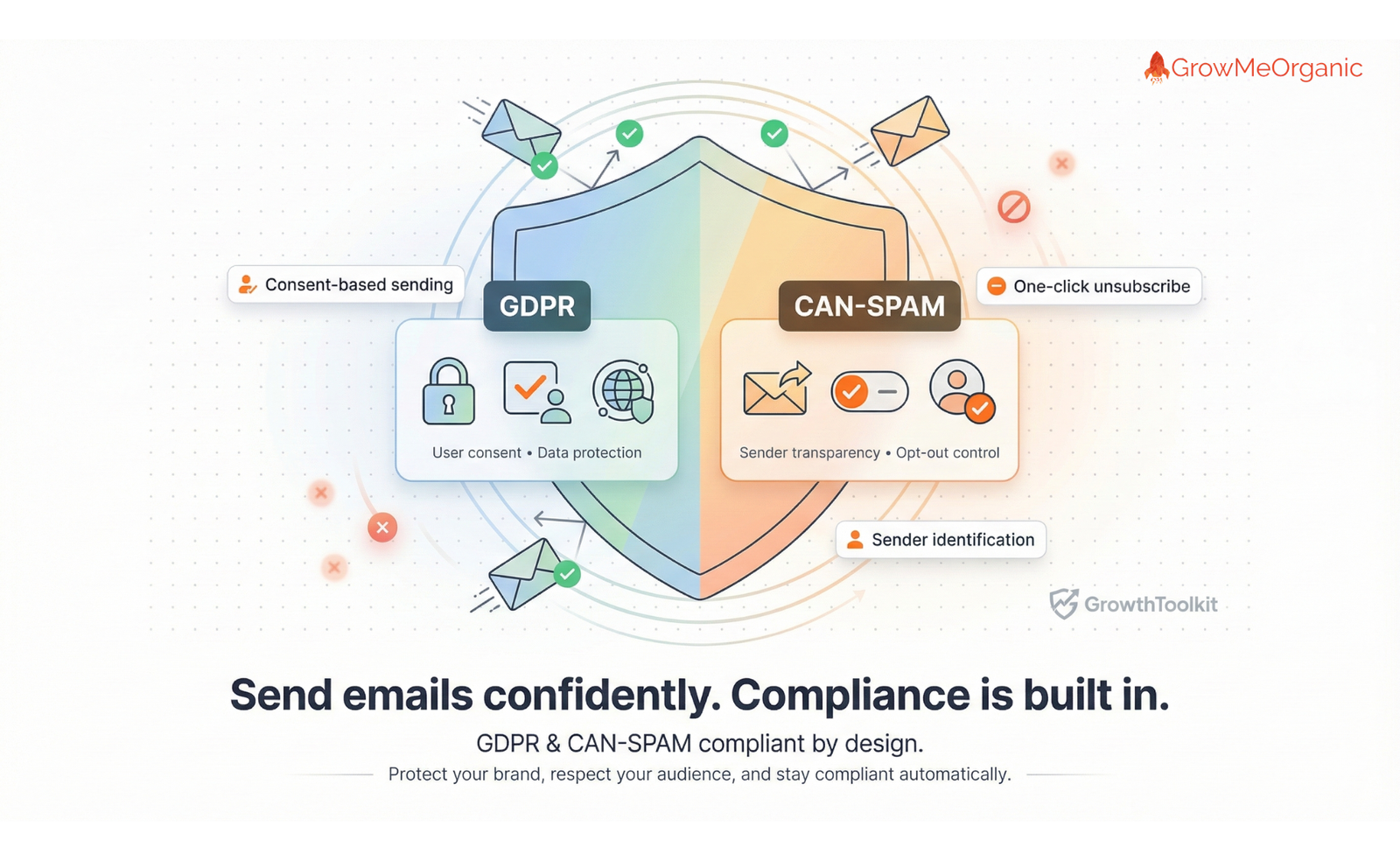
When finding emails, you must ask: Is it legal to find and use someone’s email for cold outreach? The answer is generally yes, but with strict rules. You must comply with regional regulations like the EU’s GDPR or the US’s CAN-SPAM Act.
✅The Legal Imperative
The core of email compliance is simple: Do not be deceptive, and always give the recipient control.
🎯The Requirements of GDPR and CAN-SPAM
📌CAN-SPAM (USA): This act focuses on commercial email conduct. It requires you to be truthful about who you are and what your email is about. Critically, every email must include a clear, easy-to-use opt-out (unsubscribe) link, and you must honor these requests immediately.
📌GDPR (European Union): This is stricter. It requires a “legal basis” to process personal data. For B2B cold emails, the legal basis is usually “legitimate interest.” This means your outreach must be highly relevant to the recipient’s professional role, and you must be able to explain why you contacted them. If you’re emailing a Chief Financial Officer about accounting software, that’s legitimate. If you’re emailing a teacher about dog food, it is not.

🎯The Consent and Transparency Mandate
37% of marketers say GDPR compliance impacts how they collect and use emails. To stay safe, follow these rules:
👉Transparency: Never hide who you are. Your email should clearly state your company’s name and physical address.
👉Professional Use Only: Limit your outreach to B2B contexts (business emails, not personal Gmail addresses).
👉Opt-Out: The unsubscribe link is not negotiable.
✅Ethical Scraping: Avoiding Deceptive Practices
Ethical considerations are paramount. While web scraping tools can be utilized to extract emails from public web pages, you must avoid practices that could be considered spammy or intrusive.
👉Respect Privacy: Only collect data that is publicly available and clearly intended for professional communication.
👉Avoid Aggressive Tools: Never use tools that engage in automated dictionary attacks (guessing thousands of random combinations) or violate a website’s terms of service.
👉The Golden Rule: If you wouldn’t want to receive the email, don’t send it.
✅Trust vs. Spam: Personalization as Protection
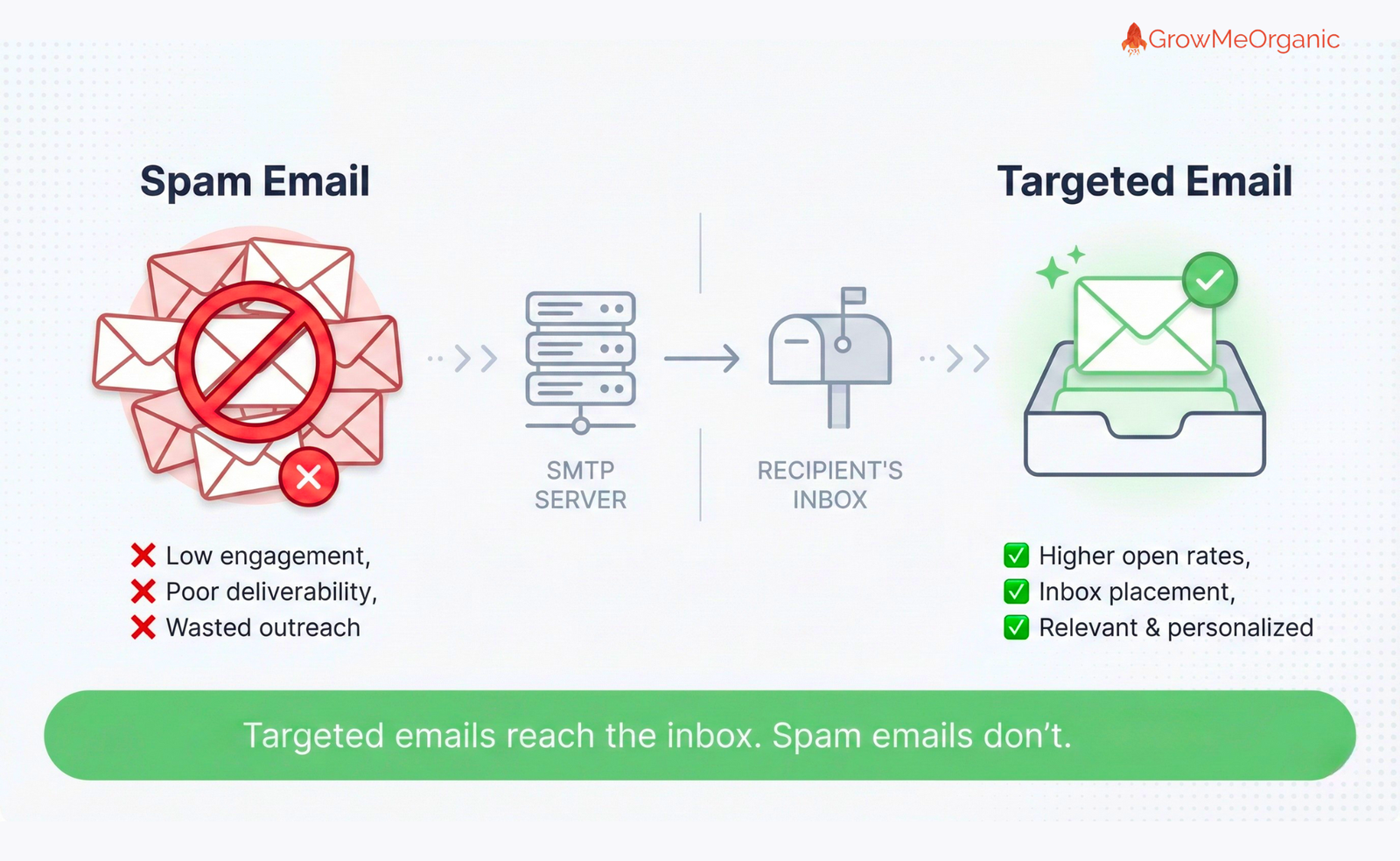
Thorough research is not just about increasing sales; it’s a compliance measure.
Effective cold emails are personalized, relevant, and concise, avoiding spam triggers like excessive links or misleading subject lines.
When you send a personalized email, referencing a prospect’s company, a recent article they wrote, or their specific role, you immediately establish relevance. This is crucial because:
👉It avoids the spam folder: The email looks like a genuine, one-to-one communication, which ISPs favor.
👉It respects the recipient: It shows you did your homework. The recipient is highly unlikely to mark a relevant message as spam.
Remember, personalization (referencing a prospect’s company) increases response rates by 32%
This effort is your best defense against both being ignored and being flagged as spam.
Launching and Scaling the Campaign
Finding the email is just the beginning. The way you handle the delivery, integration, and tracking of your campaign determines its ultimate success.
1️⃣The Warm-Up Phase: Building Domain Authority
If you launch a campaign using a brand-new domain or a domain that hasn’t sent cold emails before, sending a high volume of messages right away is a critical mistake. ISPs (Internet Service Providers) like Google and Microsoft will see this sudden activity as suspicious and likely flag your domain as spam.
Domain Warm-Up is the process of gradually increasing your sending volume over several weeks.
👉The Goal: To build a positive sender reputation. You start by sending a small number of emails daily (e.g., 50), and slowly increase that volume (e.g., 10% more each day).
👉The Strategy: Use dedicated warm-up tools that send test emails to real inboxes, engaging in automated “reply and open” behavior. This signals to ISPs that your domain is a legitimate, engaging sender, which drastically improves your deliverability rates before you even send your first real campaign.
2️⃣Integrating Channels: Combining Email with Social and Phone Outreach
Cold emailing is most powerful when it’s not done in isolation. 78% of sales development representatives (SDRs) who use multi-channel approaches outperform those who stick to a single channel.
Your clean, verified list (Phase 4) is the foundation for an integrated attack plan:
👉Email + LinkedIn: Send your initial cold email. If you don’t receive a response within 48 hours, follow up with a personalized connection request on LinkedIn, referencing the email you sent (e.g., “Just following up on the email I sent regarding your marketing stack”).
👉Email + Phone: For high-value, C-level targets, a cold email followed by a strategic phone call (referencing the email’s value proposition) is highly effective.
This multi-touch approach increases the overall visibility and engagement rate of your prospect, guaranteeing that your message is seen across different professional platforms.
3️⃣Tracking Success: The Metrics that Matter
Without tracking, you are guessing. You must continuously monitor key performance indicators (KPIs) to identify what is working and what is damaging your domain.
👉Bounce Rate (The Firewall Check): This must be the priority. As established in Phase 4, your hard bounce rate should be below 51% (ideally below 2%). A high bounce rate means you failed the verification step and need to clean your list immediately.
👉Open Rate (The Subject Line Check): Measures the strength and curiosity of your subject line. If this is low, your subject line is the problem.
👉Response Rate (The Relevance Check): The ultimate measure of personalization and relevance. A low response rate means your ICP is wrong, your offer is weak, or your body copy is not compelling.
👉Conversion Rate (The Goal Check): Measures how many positive replies turn into qualified sales opportunities.
4️⃣Optimizing the Message: A/B Testing and Follow-Up Frequency
Once you have a clean list, the final variable is the message itself. Never assume your first draft is the best. Continuous optimization is what separates scaling campaigns from one-off blasts.
🎯 A/B Testing: Finding Your Conversion Formula
A/B testing is not just about changing a word; it’s about scientifically identifying which element of your email generates the highest reply rate. You should be constantly testing variations of your message, focusing on one variable at a time.
👉Test the Subject Line (Open Rate): This is the gatekeeper. Test using a very short, direct subject line (e.g., Quick question regarding Acme Corp) versus a curiosity-driven one (e.g., 3 ways your VP can cut costs). A strong subject line is the first step toward that $32\%$ personalization boost.
👉Test the Opening Line (Engagement): The first sentence determines if the prospect keeps reading. Test a hyper-personalized opener (referencing a LinkedIn post or recent company news) versus a problem-focused opener (referencing a common industry pain point).
👉Test the Call-to-Action (CTA): This is the most crucial test. Avoid overwhelming the prospect. Test a soft CTA (e.g., Would you be open to a 15-minute chat next week?) against a micro-commitment CTA (e.g., Does this sound like a problem worth solving?).
🎯Follow-Up Frequency: The Persistence Factor
Many good emails fail simply because the sender stops after the first attempt. Best practices show that 2–3 follow-ups spaced a few days apart result in the highest response rates. After the third attempt, you should stop sending results to contacts to respect their time and avoid compliance issues.
👉Follow-Up 1 (The Gentle Bump): Sent 3–4 days after the initial email. This message should be extremely short and just “bump” the original email back to the top of the inbox.
👉Follow-Up 2 (The Value Add): Sent 5–7 days after the first follow-up. This email should introduce new value, such as a quick case study or a piece of relevant content, to entice the prospect.
🎯Automation and Scaling: GrowMeOrganic as the Solution
Manually managing A/B tests across multiple segments and timing 2-3 follow-ups for thousands of contacts is impossible. This is where your sales engagement platform becomes indispensable.
Tools like GrowMeOrganic (Growth Toolkit) provide the necessary automation to handle this scaling without human error:
👉Automated Sequences: You can pre-load your entire follow-up strategy (Email 1, 2, and 3) into the platform. Once a prospect is added to a segment (Phase 1 B), the system automatically triggers the sequence, pausing only if the prospect replies or unsubscribes.
👉Built-in A/B Testing: GMO allows you to set up two versions of an email (Version A vs. Version B) within the same sequence. The tool automatically splits the traffic, runs the test, and reports which version achieved a higher open or reply rate, allowing you to instantly switch to the winning formula across the rest of your campaigns.
By leveraging these automation features, you ensure that every prospect on your verified list receives a perfectly timed, tested, and high-converting message.
Conclusion and Final Checklist
The era of blind, unverified cold emailing is over.
The 42:1 ROI that defines successful campaigns is not a coincidence; it is the predictable outcome of a strict, five-phase process.
You have moved beyond simple list scraping and adopted the methodology of predictive demand generation, ensuring every contact is not only found but is surgically targeted, fully verified to meet the 95% accuracy standard, and entirely compliant with global regulations.
Your domain reputation is now protected, and your outreach is driven by data, not guesswork.
This shift in mindset, from mass blasting to precise, personalized sequencing, transforms cold email from a high-risk gamble into a scalable, automated, and primary revenue driver.
Your Final 5-Step Checklist for Launching Success
Before you hit send on your next campaign, run through this mandatory checklist:
✅Define and Segment: Did you create a clear Ideal Customer Profile (ICP)? Is your list segmented by pain point or technology stack?
✅Find Efficiently: Did you use a combination of LinkedIn (for targeting context) and automated B2B finder tools (for scale)?
✅Verify Mandatorily: Was your entire list run through a reputable verification service? Your list must have 95% accuracy or higher.
✅Comply Legally: Does every single email include a clear, working unsubscribe (opt-out) link? Are you sending only to professional B2B email addresses?
✅Warm Up and Scale: If you are using a new sending domain, have you followed the warm-up process to avoid being marked as spam?
Stop searching, start scaling. Your verified list is your most valuable sales asset.
FREQUENTLY ASKED QUESTIONS (FAQs)
1. What is the highest acceptable Hard Bounce Rate before I damage my sender reputation?
You must aim for a hard bounce rate of 5% or lower, but ideally below 2%. Anything above this threshold signals to ISPs (like Google and Microsoft) that you are sending bulk, unverified lists. This will quickly flag your domain as a spam risk, sending all your emails (even the good ones) straight to the spam folder. Verification is mandatory to prevent this.
2. Why do I need an unsubscribe link for B2B cold emails? Isn’t that just for marketing newsletters?
No, the unsubscribe link is a legal requirement under the US CAN-SPAM Act, and including one is essential for GDPR compliance. Your email is a commercial message, and you must give the recipient an easy, immediate way to opt out. Failing to include a clear opt-out link can lead to heavy penalties and is a huge red flag for spam filters.
3. How many follow-up emails should I send before giving up on a prospect?
The best practice is to stop after 2 to 3 well-spaced follow-ups. Send the first follow-up 3-4 days after the initial email, and the second 5-7 days after that. If you haven’t received a reply after three attempts, your message or targeting is likely incorrect for that contact. Continuing to send after this point risks irritating the prospect and increasing the chance of being marked as spam.
4. I found a personal Gmail address for a target. Should I use it if their business email is hard to find?
Absolutely not. You must only use professional, business email addresses for cold outreach. Sending unsolicited emails to personal addresses (like Gmail, Yahoo, or Outlook) can violate privacy laws like GDPR and is much more likely to trigger aggressive personal spam filters. Stick strictly to business domains.
5. My list includes several “Catch-All” emails after verification. What does that mean, and should I send to them?
A “Catch-All” domain is set up to accept any email sent to it, even if the adit dress doesn’t exist (e.g., random@company.com). Your verification tool cannot confirm if the specific person’s email is live. You should send to these addresses with caution and only when the target is high-value. If you get a high bounce rate from a single Catch-All domain, stop sending to that domain immediately.
6. When should I start using A/B testing on my emails?
You should start A/B testing immediately after you complete your domain warm-up and begin sending a decent volume. Start by testing your subject line first, as this is the biggest factor in open rates. Once your open rate is stable, move on to testing the Call-to-Action (CTA), as this directly impacts your reply rate.
7. Is it necessary to pay for a tool when free services offer basic finding?
Yes, paying for a professional tool is necessary for scale and safety. Free tools severely limit your volume (preventing segmentation) and often provide unverified email results. A professional tool like GrowMeOrganic integrates verification directly into the finding process, guaranteeing the 95% accuracy required to protect your domain and successfully run high-volume, compliant campaigns.
About Post Author