Eighty-nine percent of top-performing salespeople swear by LinkedIn as a key part of their strategy. And it’s no surprise, LinkedIn is where connections turn into opportunities.
In 2026, just having a profile isn’t enough.
To really make LinkedIn work for you, you need a game plan that fits your business and speaks to your audience. It’s about more than just messages; it’s about real engagement and building relationships.

In this article, we’ll chat about how to create a LinkedIn strategy that truly works.
If you’re starting or looking to up your game, we’ve got tips to help you shine.
Let’s get started!
What is a LinkedIn Sales Strategy?
A LinkedIn sales strategy is essentially your systematic approach to turning LinkedIn into a predictable revenue engine.
We’re not talking about random connection requests but about building a repeatable process that actually drives results.
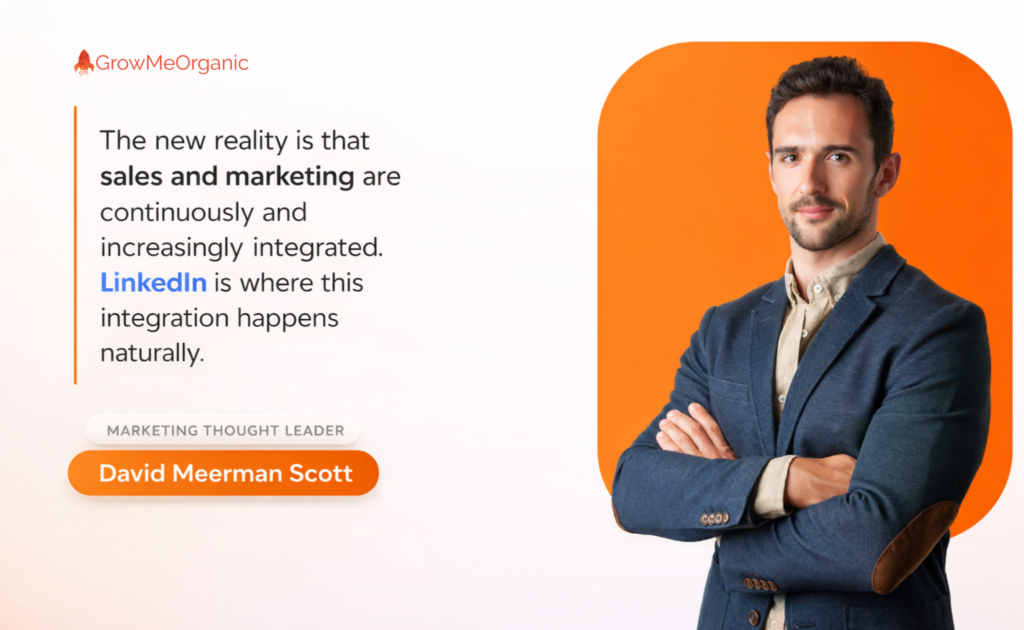
Think of it this way: LinkedIn is your 24/7 sales floor, and your profile is your storefront. When prospects land on your page, they should immediately understand what problems you solve and why you’re the one to solve them.
This matters because 80% of LinkedIn members drive business decisions at their companies.
Here’s where it gets interesting. With Sales Navigator, you can laser-target B2B prospects based on real buying signals:
👉New funding rounds
👉Leadership changes
👉Company expansion
👉Recent job transitions
These aren’t just leads. They’re qualified opportunities waiting to happen. Sales Navigator users see a 7% higher win rate on opportunities sourced through LinkedIn versus other sources, and teams using it achieve 18% more pipeline creation.
Why is LinkedIn Essential for Successful Sales?
Let’s talk real numbers here. LinkedIn is where B2B deals actually happen. And if you’re not leveraging it, you’re literally watching competitors eat your lunch.
🎯The Decision-Makers Are Already There
Here’s what most people miss: LinkedIn has 900+ million users, but that’s not the impressive part. What matters is who those users are:
🎯4 out of 5 LinkedIn members influence business decisions
🎯Millions are senior-level influencers
🎯And millions are in decision-making positions
Think about that. Your next customer is probably scrolling LinkedIn right now.
🎯It’s Built for B2B Sales
Unlike other platforms, people come to LinkedIn in work mode. They’re not watching cat videos, but they’re:
🔶Researching solutions to business problems
🔶Looking for industry insights
🔶Open to professional opportunities
🔶Actually expecting business conversations
When you message someone on LinkedIn, you’re not interrupting their personal time. You’re engaging them in their professional context.
This is why InMail response rates are 3x higher than regular email for sales outreach, and people are mentally prepared for business discussions.
LinkedIn provides the perfect environment for exactly that.
🎯It’s Where Modern Buyers Research
Today’s B2B buyers are 70% through their buying journey before talking to sales. Where are they doing this research? LinkedIn:
📌Reading thought leadership content
📌Checking out vendor profiles
📌Asking for peer recommendations
📌Evaluating your company’s expertise
If you’re not showing up in their research phase, you’re not even in the running.
🎯The Competitive Edge
Despite all this, only a few salespeople truly leverage LinkedIn effectively. Most are still:
👉Sending generic InMails
👉Posting company propaganda
👉Using outdated profile photos from 2015
This means the opportunity is wide open for those who get it right.
The gap between those who “use” LinkedIn and those who “master” LinkedIn is massive.
A 2026 LinkedIn sales strategy focuses on personalized outreach and relationship building rather than mass messaging, which significantly increases engagement and conversion rates. Yet most are still stuck in 2015 tactics.
In 2026, asking “Why use LinkedIn for sales?” is like asking “Why use email?” It’s not a question of if—it’s a question of how well.
The real question is: Can you afford NOT to master LinkedIn when your competitors already are?
How to Build an Effective LinkedIn Sales Strategy (Step-by-Step)
Let’s build a LinkedIn sales strategy that actually delivers. Here’s your roadmap:
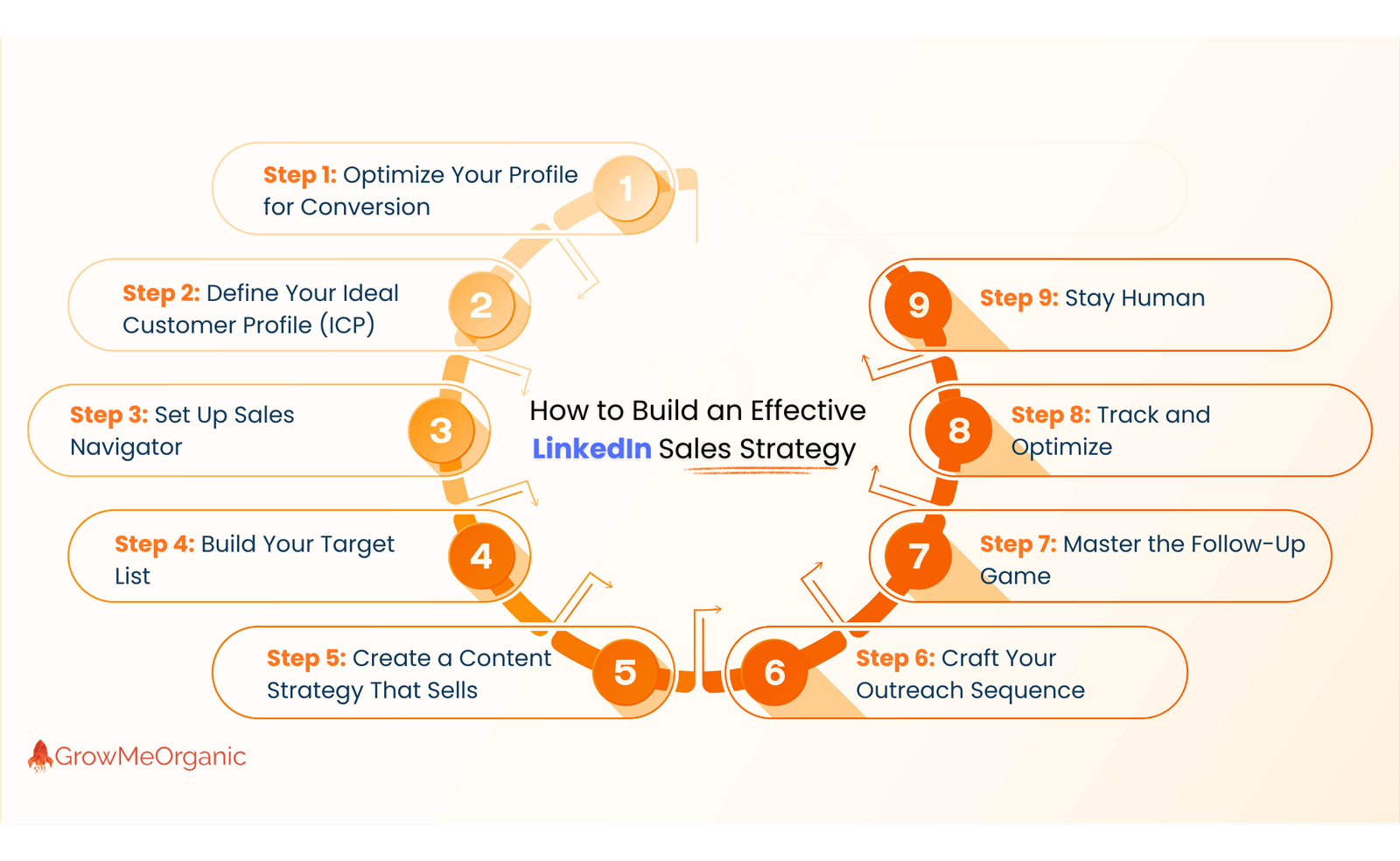
Step 1: Optimize Your Profile for Conversion
Your profile is your landing page. Treat it like one.
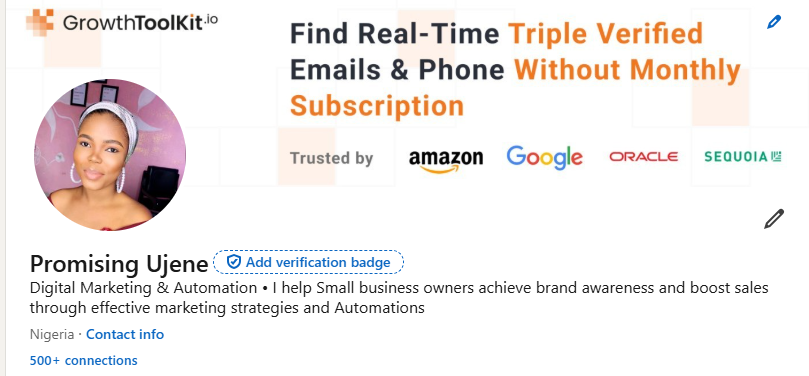
✅Headline: Don’t Just List Your Title. Use this formula: “I help [target audience] achieve [specific outcome] through [your solution].”
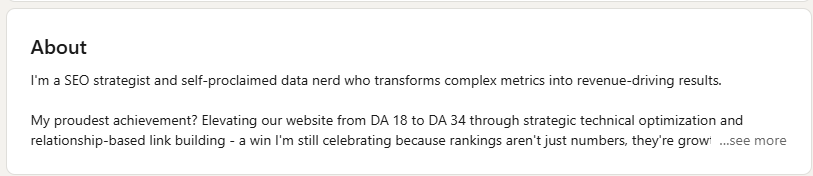
✅About Section: Lead with their problems, not your resume. The first two lines are crucial; they show before “see more.”
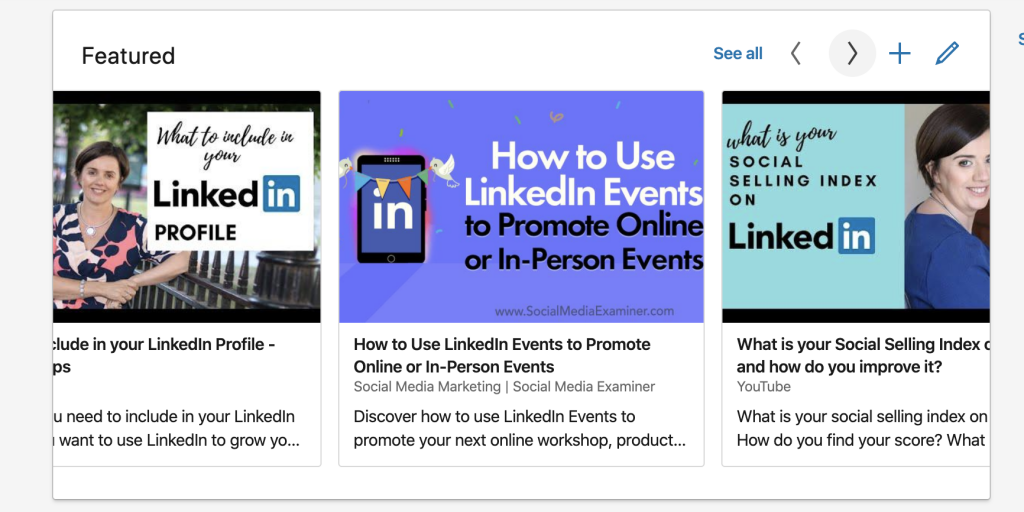
✅Featured Section: Add case studies, testimonials, or valuable resources.
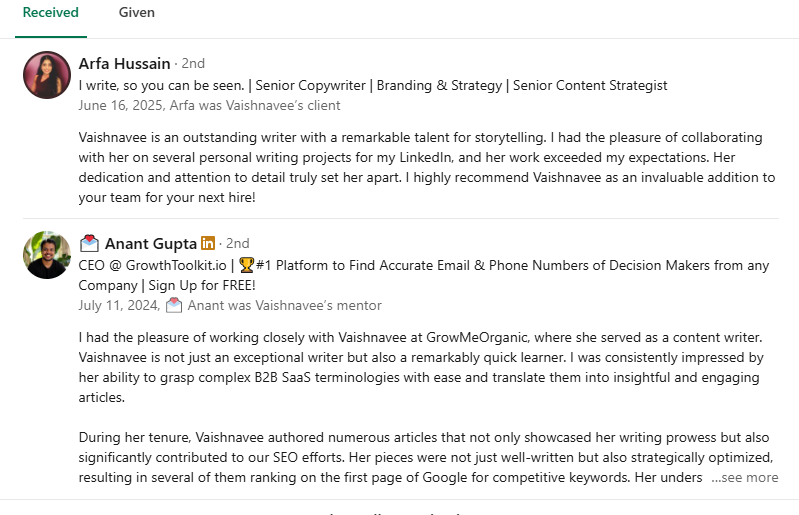
✅Social Proof: Get recommendations from clients, not just colleagues
Step 2: Define Your Ideal Customer Profile (ICP)
Get laser-focused on who you’re targeting:
✅Industry and company size
✅Job titles and seniority levels
✅Geographic location
✅Trigger events (funding, expansion, new leadership)
✅Tech stack or current solutions they use

Every action you take should align with attracting these specific people.
Basic LinkedIn won’t cut it for serious selling. Sales Navigator gives you:
🔶Advanced search filters (25+ criteria)
🔶Lead and account tracking
🔶Real-time alerts on trigger events
🔶InMail credits for direct outreach
🔶CRM integration capabilities
Step 4: Build Your Target List
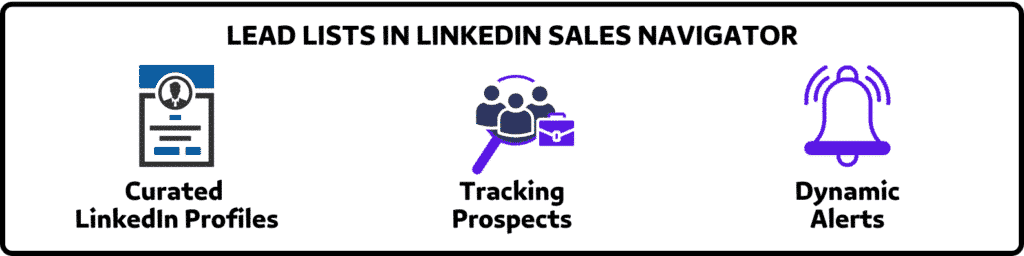
Use Sales Navigator to create segmented lead lists:
📌Start with “low-hanging fruit,” which is our second-degree connections
📌Filter by recent job changes (new budget, new priorities)
📌Look for companies showing growth signals
📌Save searches and set up alerts
Aim for quality over quantity. 100 perfect-fit prospects beat 1,000 random connections.
Step 5: Create a Content Strategy That Sells
Stop posting corporate fluff. Share content that demonstrates expertise:
👉Monday: Industry insights or data
👉Wednesday: Case study or client win
👉Friday: Controversial take or thought leadership
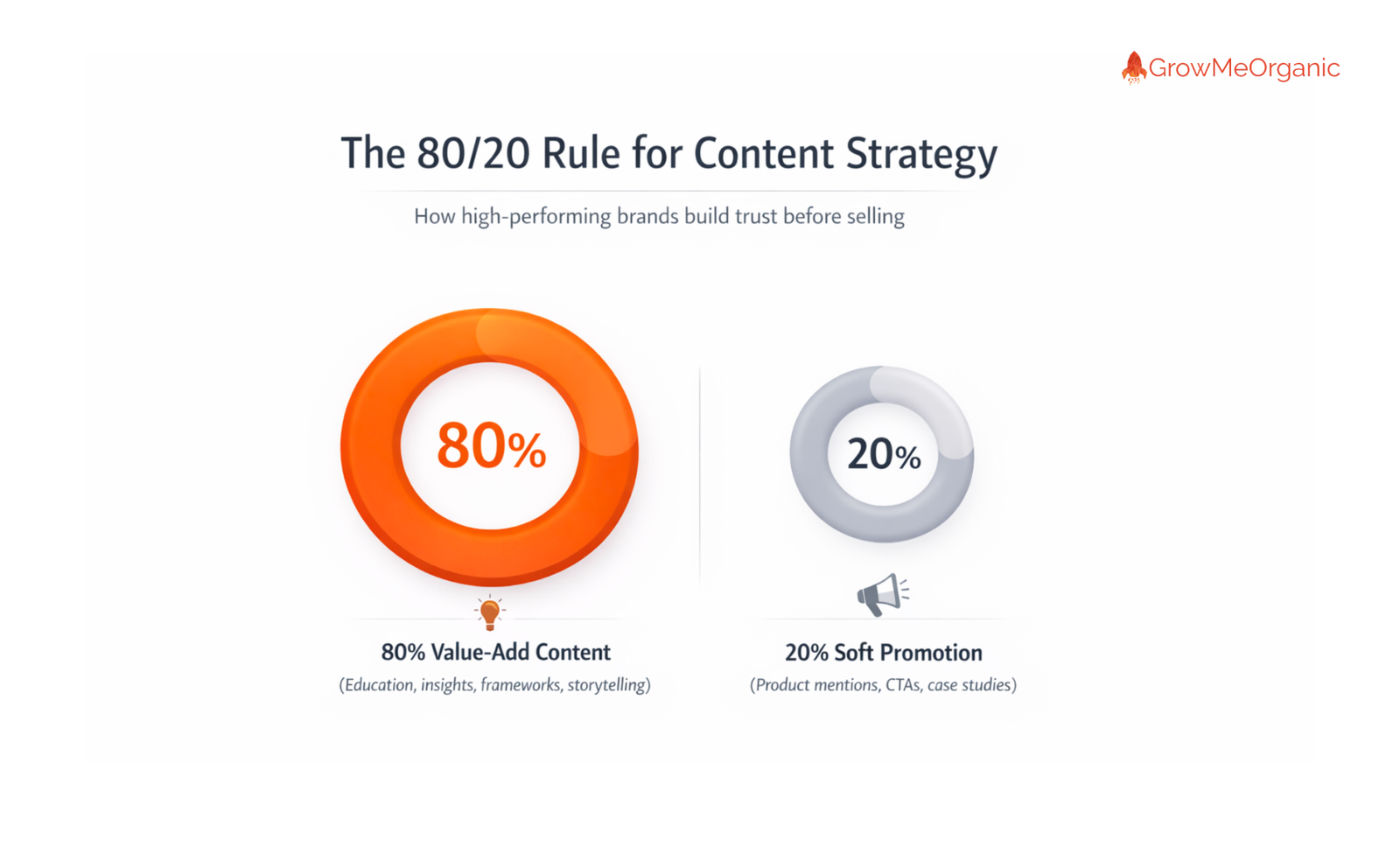
👉The 80/20 rule: 80% value-add content, 20% soft promotion
Step 6: Craft Your Outreach Sequence
Here’s a sequence that actually works:
1️⃣Touch 1: View their profile (gets you on their radar)
2️⃣Touch 2: Engage with their content meaningfully
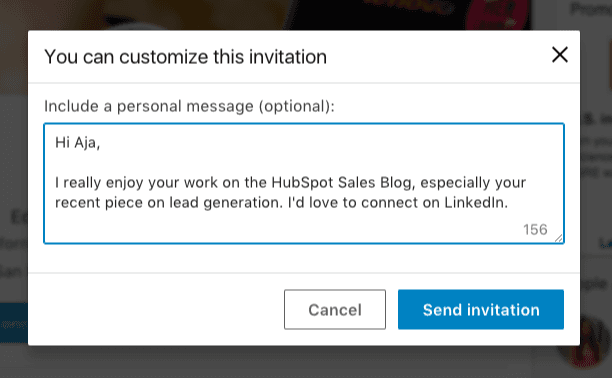
3️⃣Touch 3: Send connection request with personalized note
4️⃣Touch 4: Share valuable content (no pitch)
5️⃣Touch 5: Softly ask for a conversation
Connection request template that converts:
“Hi [Name], noticed you’re [specific observation about their role/company]. I work with [similar companies] on [specific challenge]. Would love to connect and share some insights we’ve uncovered.”
Step 7: Master the Follow-Up Game
Most sales happen in the follow-up. Build a system:
🔶Day 1: Connection accepted → Thank you + value add
🔶Day 7: Share a relevant article or insight
🔶Day 14: Soft check-in with a specific question
🔶Day 21: Directly ask for a conversation
Step 8: Track and Optimize
Key metrics to monitor:
🟠Connection acceptance rate (aim for >30%)
🟠Message response rate (target >20%)
🟠Meeting booking rate (should be >10% of responses)
🟠Pipeline generated from LinkedIn source
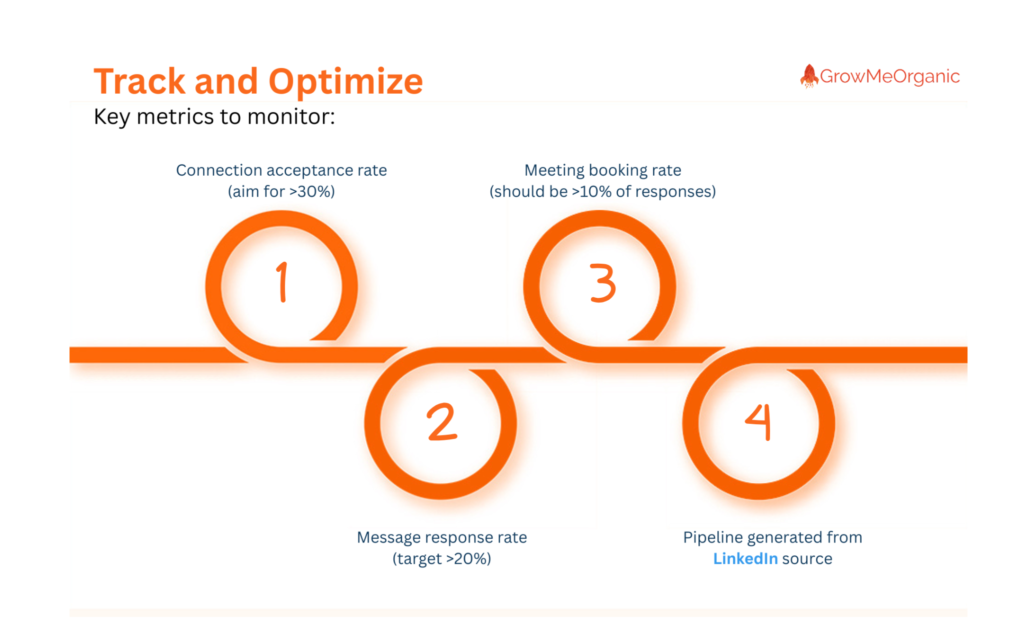
Review these weekly. If something’s not working, iterate fast.
Step 9: Stay Human
Remember: People buy from people. While you’re executing this strategy:
🎯Be genuinely helpful
🎯Focus on starting conversations, not closing deals
🎯Build relationships before asking for anything
🎯Give 10x more value than you ask for
This isn’t a “set it and forget it” strategy. It’s a living system that requires consistent execution and optimization. But get this right? You’ll have a predictable pipeline of qualified opportunities flowing from LinkedIn.
Start with Step 1 today. Perfect execution on one step beats half-hearted attempts at all ten.
Sales Navigator is the difference between hoping for leads and systematically generating them.
If you think you’re saving $99/month by sticking with basic LinkedIn, then this is what you’re actually losing:
✅Invisible to prospects: Can’t see who’s viewing your profile beyond the last 5
✅Limited searches: Hit search limits after 100 profiles
✅Missing buying signals: No alerts when prospects change jobs or get promoted
✅Generic outreach: Can’t filter by the criteria that actually matter
✅Lost opportunities: Competitors with Navigator are finding your prospects first
One missed deal costs more than a year of Sales Navigator.

The Features That Actually Make You Money
📌Unlimited Profile Views
See everyone who checks you out. Is that competitor researching your profile? That’s a warm lead. That prospect who viewed you 3 times this week? They’re interested.
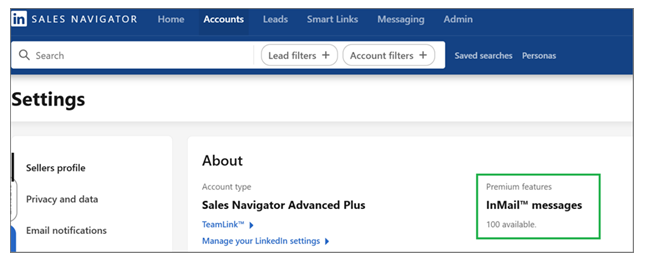
📌InMail Credits (50/month)
Average InMail response rate: 18-25%
Cold email response rate: 1-3%
Do the math. InMails get opened because they’re not in the spam folder.
📌Lead and Account Lists
Save prospects and track them automatically:
👉Get alerts when they post
👉See when they change jobs
👉Know when they’re mentioned in the news
👉Track their company’s growth
It’s like having a personal assistant monitoring your pipeline 24/7.
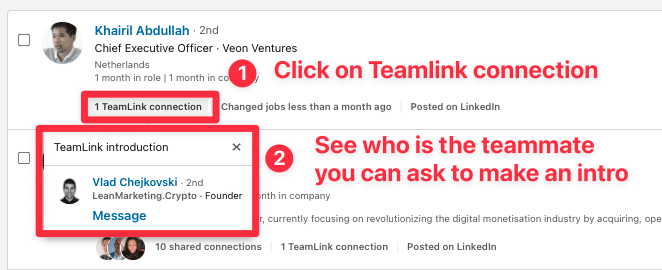
📌TeamLink
See your entire company’s connections. That prospect you can’t reach? Your colleague might be connected. Instant warm introduction.
📌CRM Integration
Sync with Salesforce, HubSpot, or your CRM of choice:
👉No duplicate data entry
👉Track LinkedIn touches in your pipeline
👉See LinkedIn insights in your CRM
👉Measure LinkedIn ROI accurately
The ROI
Let’s talk numbers that matter:
🔶Cost: ~$99/month ($1,188/year)
🔶Average deal size: Let’s say $10,000
🔶Deals needed to break even: 0.12 deals
The Features Most People Don’t Know About
✅Smart Links
Share content and see:
- Who viewed it
- How long have they engaged
- Which pages did they read
- When to follow up
You know exactly when prospects are interested.
✅Buyer Circle Maps
Identify all stakeholders in a deal:
- Champions
- Decision makers
- Influencers
- Potential blockers
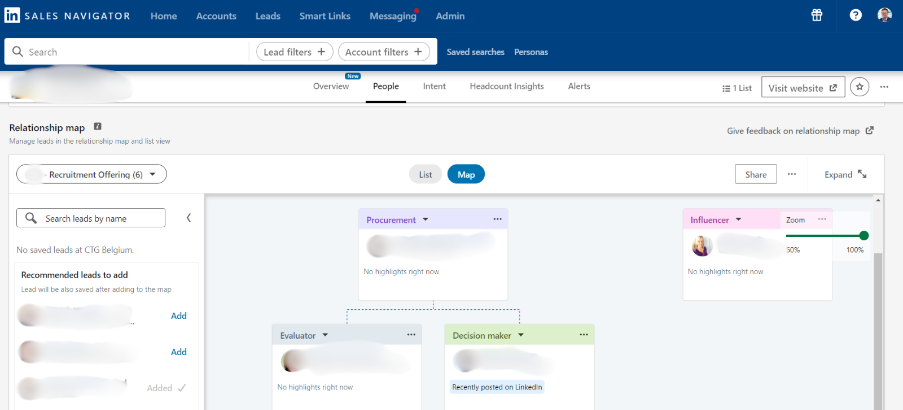
Never get blindsided by a stakeholder you didn’t know existed.
You need it if you:
🎯Sell B2B solutions over $5K
🎯Have a sales cycle of over 30 days
🎯Target specific accounts or industries
🎯Need to reach senior decision-makers
🎯Want predictable pipeline generation
You might not need it if you:
🎯Only sell low-ticket items
🎯Focus on B2C sales
🎯Have unlimited warm referrals
🎯Don’t need new business
The question isn’t whether you can afford Sales Navigator – it’s whether you can afford to let competitors have it while you don’t.
Common Mistakes to Avoid When Executing a LinkedIn Sales Strategy
Look, I’ve seen talented salespeople absolutely butcher their LinkedIn strategy. They have all the right tools, but still manage to turn warm prospects ice cold. Here are the mistakes that are killing your LinkedIn game and how to fix them.
❎The “Me, Me, Me” Profile Syndrome
The Mistake:
Your profile reads like a resume. “I achieved X, I won the Y award, I have Z years of experience.”
Screenshot of Someone’s LinkedIn Heading
Why It Kills Deals:
Prospects don’t care about your achievements. They care about their problems and whether you can solve them.
The Fix:
Rewrite everything from your prospect’s perspective:
- ❌ “Top-performing sales executive with 10 years of experience.”
- ✅ “I help SaaS companies reduce customer churn by 30% in 90 days.”
Your profile should make prospects think “This person gets me,” not “This person loves themselves.“
❎The Spray and Pray Connection Requests
The Mistake:
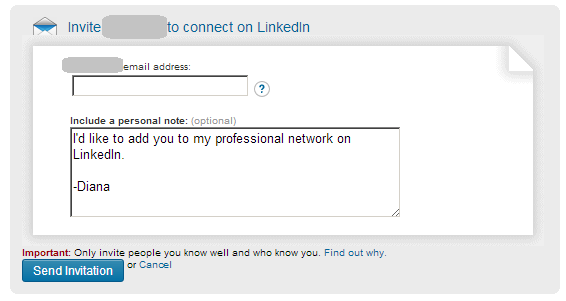
Sending 100 generic connection requests: “I’d like to add you to my professional network.”
Why It Kills Deals:
Generic request acceptance rate: 5-10%
Personalized request acceptance rate: 40-60%
You’re literally throwing away 80% of your opportunities.
The Fix:
Always personalize. Reference something specific:
- Their recent post
- A mutual connection
- A company achievement
- A shared challenge
Takes 30 seconds more. Yields 5x better results.
❎Pitching on the First Touch
The Mistake:
Connection accepted. Immediately: “Thanks for connecting! We help companies like yours save 50% on…
Why It Kills Deals:
It’s like proposing on a first date. You haven’t earned the right to pitch.
The Fix:
Follow the value-first sequence:
- Thanks for connecting
- Share valuable insight
- Engage with their content
- Start a conversation
- THEN explore if there’s a fit
Build trust before you sell. Period.
❎Ghost Town Content Strategy
The Mistake:
Only posting when you have something to sell. Or worse—only sharing company marketing fluff.
Why It Kills Deals:
You become invisible. LinkedIn’s algorithm ignores you. Prospects forget you exist.
The Fix:
Consistent value-driven posting:
- 3x per week minimum
- 80% educational content
- 20% soft promotion
- Always end with a question to drive engagement
No engagement = No visibility = No pipeline
❎Ignoring the Power of Social Proof
The Mistake:
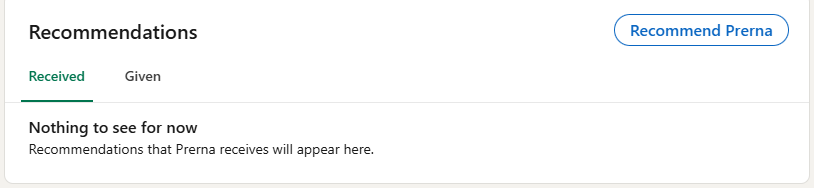
Empty recommendation section. No featured content. Generic headline.
Why It Kills Deals:
You look like everyone else. No credibility. No differentiation.
The Fix:
- Get 5+ client recommendations (not colleagues)
- Feature case studies in your Featured section
- Add metrics to your About section
- Share client wins in your posts
Third-party validation beats self-promotion every time.
❎Treating LinkedIn Like Email
The Mistake:
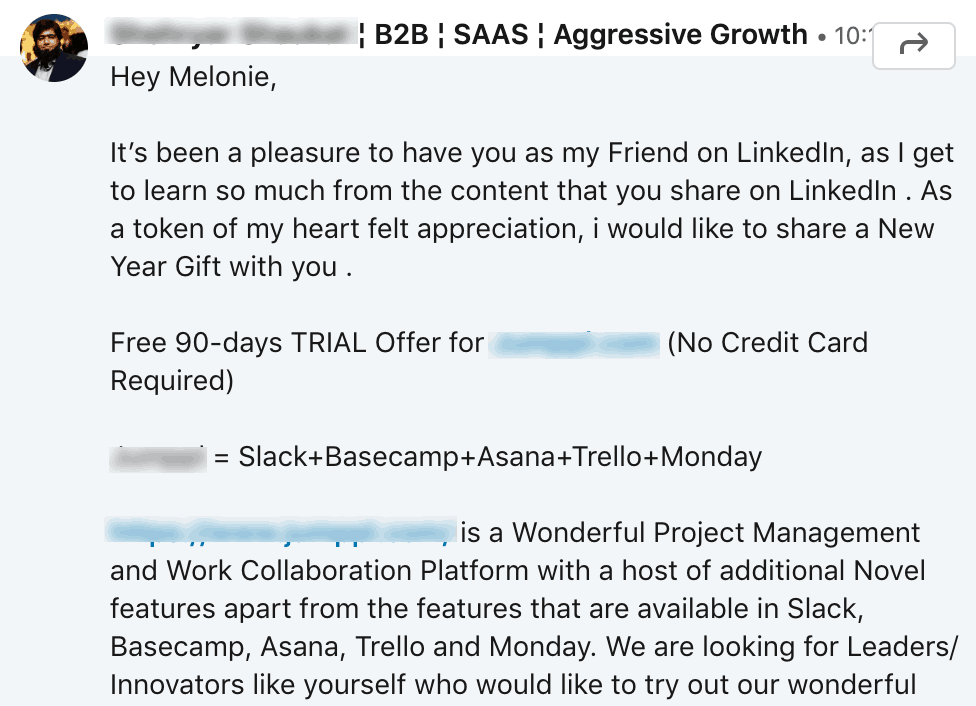
Sending long, formal messages with attachments and Calendly links.
Why It Kills Deals:
LinkedIn is conversational. You’re the guy who shows up to a BBQ in a three-piece suit.
The Fix:
- Keep messages under 100 words
- Write like you talk
- No attachments on the first message
- Ask for permission before sending links
- Focus on starting conversations, not booking meetings
❎Not Optimizing for Mobile
The Mistake:
Writing long paragraphs. Huge blocks of text. Desktop-only formatting.
Why It Kills Deals:
60% of LinkedIn users are on mobile. Your beautiful message looks like a wall of text.
The Fix:
- Short paragraphs (2-3 lines max)
- Use line breaks liberally
- Bullet points for lists
- Test your messages on mobile
- Keep subject lines under 40 characters
These mistakes aren’t just costing you connections—they’re costing you revenue. The good news? Fix these, and you’ll instantly outperform 90% of your competition.
Remember: LinkedIn is about building relationships at scale, not about broadcasting at scale. Treat it like a networking event, not a billboard.
Every mistake you fix is money back in your pocket. Start with the one costing you the most.
Frequently Asked Questions
Q: How much time should I spend on LinkedIn daily for sales?
A: The magic number is 30-45 minutes daily, but here’s how to break it down:
- 15 minutes: Engaging with prospects’ content and responding to messages
- 15 minutes: Sending personalized connection requests and follow-ups
- 15 minutes: Posting content or sharing insights
Pro tip: Batch your activities. One focused 45-minute session beats random checking throughout the day.
A: Depends on your sales volume:
LinkedIn Premium ($59/month): Good if you’re:
- Doing occasional outreach
- Selling low-ticket items
- Just starting out
Sales Navigator ($99/month): Essential if you’re:
- Doing serious B2B sales
- Targeting specific accounts
- Need advanced filters and alerts
- Want to track buying signals
If you’re sending more than 20 InMails monthly, go straight to Sales Navigator.
Q: Should I accept all connection requests?
A: No. Be strategic. Accept connections from:
- Target customers and prospects
- Industry influencers
- Potential partners
- Relevant professionals in your space
Decline or ignore:
- Obvious spam/bots
- Completely irrelevant industries
- People with no profile info
- Immediate pitch senders
Your network quality matters more than quantity for algorithm visibility.
Q: Is it worth creating LinkedIn company pages?
A: Yes, but not for the reasons you think:
Benefits:
- Employees can link to it (credibility)
- Retargeting pixel for LinkedIn ads
- Shows up in Google searches
- Builds trust with prospects
Don’t expect:
- Massive organic reach
- Direct lead generation
- Viral content
Personal profiles get 10x more reach than company pages. Use company pages for credibility, personal profiles for selling.
Q: Can I automate my LinkedIn outreach?
A: Technically yes, but proceed with extreme caution.
Safe to automate:
- Profile viewing
- Data extraction for research
- CRM syncing
Never automate:
- Connection requests (LinkedIn detects patterns)
- Messages (kills authenticity)
- Content posting (looks robotic)
Risks of over-automation:
- Account restrictions
- Permanent ban
- Damaged reputation
- Legal issues (violates LinkedIn ToS)
Use tools to save time on research, not relationships.
Most of these questions have the same underlying answer: LinkedIn success comes from treating it as a relationship-building platform, not a sales platform.
Build relationships → Trust follows → Sales happen naturally.
Got a question not covered here? The answer is probably “Would you do this at an in-person networking event?” If no, don’t do it on LinkedIn.
About Post Author